


How to Resolve a Gembet Deposit Failed Error: PayNow & Crypto Guide
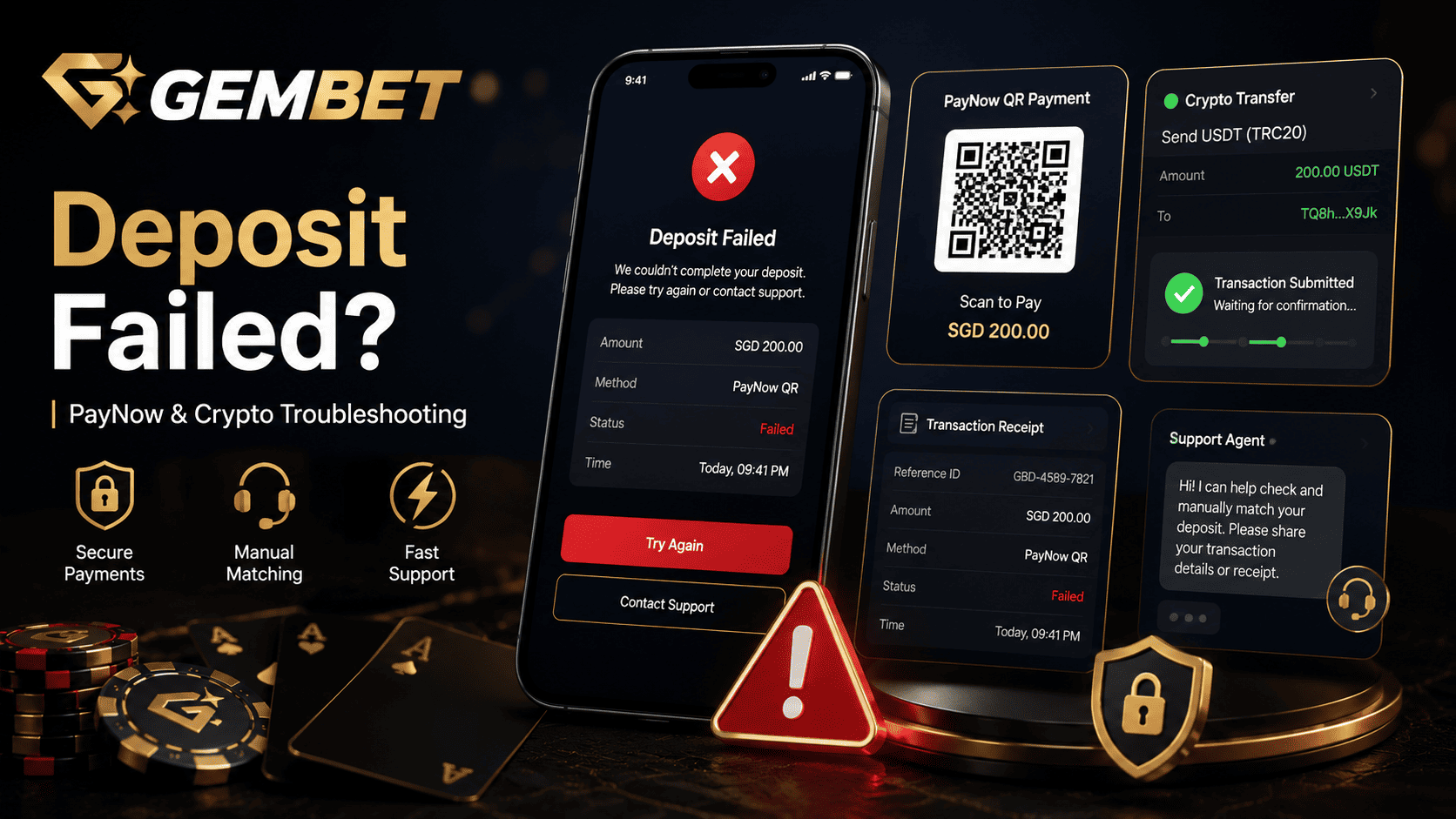
A Gembet deposit failed message can ruin the timing of a live bet, casino session, or bonus claim. You may be ready to fund your wallet, confirm a sports wager, or activate a welcome offer, but the balance does not update after payment. The screen may show “Failed,” “Pending,” “Transaction Declined,” or no wallet change at all.
In many cases, a Gembet deposit failed issue is caused by a small payment mismatch rather than a blocked account. PayNow requests can expire. Bank transfers can miss the correct reference details. Crypto deposits can fail because of wrong network selection, missing gas fees, or delayed blockchain confirmation.
This guide explains how to troubleshoot a Gembet deposit failed error for PayNow and crypto deposits, what proof to collect, when to contact live chat, and how to avoid payment-related bonus mistakes before your next session.
Why a Gembet Deposit Failed Error Happens
A Gembet deposit failed error usually means the payment request and the actual transfer did not match cleanly. The platform may need the correct amount, current request details, payment reference, sender information, crypto network, transaction hash, or confirmation status before the wallet can update.
The deposit may fail before funds leave your account, or it may show pending after the funds have already been sent. These two situations need different actions. If your bank or wallet rejected the transfer, you can usually create a fresh request. If money already left your account, do not send a second payment immediately. Gather proof first.
Common causes include:
- Expired PayNow QR or UEN request
- Transfer completed after the payment timer ended
- Unsupported payment wallet or third-party app used
- Missing reference details
- Bank-side security check or daily limit issue
- Wrong crypto network selected
- Insufficient gas fees for crypto transfer
- Blockchain confirmation delay
- Deposit sent before bonus or cashier instructions were confirmed
The fastest fix depends on whether the issue is PayNow-related, crypto-related, or connected to a missing transaction match.
Quick View: Gembet Deposit Failed Causes and Fixes
Use this table to identify the likely cause before creating another deposit request.
| Deposit Issue | What Usually Happened | Best Next Step |
| PayNow request expired | The transfer was completed after the request timer ended | Contact support with receipt if funds left your bank |
| Unsupported payment app used | The transfer came from a wallet or app not accepted by the deposit method | Use a supported bank app and ask support about the failed payment |
| Missing reference details | The system could not match the payment to your account | Provide transaction proof for manual matching |
| Wrong crypto network | Tokens were sent through a different network than the deposit address supports | Stop and contact support with the transaction hash |
| Insufficient gas fee | The wallet could not complete the blockchain transaction | Add native gas token and retry only if no funds were sent |
| Pending blockchain confirmation | The transaction is still waiting for network confirmation | Check the transaction hash before contacting support |
A Gembet deposit failed case is easier to resolve when you know whether the funds actually left your bank or crypto wallet.
Troubleshooting PayNow Deposit Failures
PayNow is popular in Singapore because it is fast and familiar, but it can still fail if the payment request and bank transfer do not line up. A Gembet deposit failed message after PayNow usually comes from timing, reference details, unsupported apps, or account matching issues.
Before retrying, check whether the bank transfer was successful. If the bank app shows no completed transfer, you can usually start again with a fresh cashier request. If the transfer was successful but the Gembet wallet did not update, you need transaction proof for manual review.
PayNow Checks Before Retrying
- Was the transfer completed inside the request timer?
- Did you use the current QR code or UEN shown on the cashier page?
- Did the exact SGD amount match the deposit request?
- Did the bank receipt show a successful transfer?
- Did you include any required reference details?
- Did you use a supported local bank app?
If any of these details do not match, the payment may fail to credit automatically.
The PayNow Request Expiry Problem
One of the most common reasons for a Gembet deposit failed error is an expired PayNow request. When a cashier page generates a QR code or UEN request, it may only remain valid for a short period. If you generate the request, leave the page, get distracted, and complete the transfer later, the system may not link the payment correctly.
This does not always mean the money is lost. It means the automatic matching process may not recognize the transfer. If the funds left your bank account, support may need to match the payment manually using the receipt.
| PayNow Timing | Possible Result | Best Action |
| Transfer completed within the active timer | Wallet may update automatically | Wait briefly and check wallet status |
| Transfer completed after timer expired | Payment may fail to auto-match | Contact support with bank receipt |
| Request generated but no transfer sent | No funds moved | Create a fresh deposit request |
| Transfer sent using old saved details | Payment may become unmatched | Do not send another payment until support checks |
To prevent this issue, generate a fresh request only when you are ready to complete the transfer immediately.
Unsupported Payment Apps and Bank Routing Issues
A Gembet deposit failed PayNow issue may also happen if the transfer is made through a payment app or wallet that does not match the platform’s accepted deposit flow. Some cashier systems are designed for direct local bank app transfers and may not process third-party wallet routing cleanly.
If you use a non-standard payment route, the transfer may not include the details needed for automatic matching. This can create a failed or pending status even when the money appears to have moved.
To reduce payment issues:
- Use the payment methods shown on the cashier page
- Avoid sending funds through unsupported third-party wallets
- Do not use another person’s bank account or wallet
- Check that your sender name matches your registered profile
- Save the final bank receipt after transfer
If you are unsure whether a payment app is accepted, ask support before sending funds.
PayNow Reference and Amount Mismatch
Another reason for a Gembet deposit failed issue is a reference or amount mismatch. Some deposits need the exact amount and reference details shown on the cashier page. If you change the amount, miss the reference, or use an old UEN, the system may not connect the transfer to your account.
| Mismatch Type | Why It Causes Problems | Fix |
| Wrong SGD amount | The transfer does not match the cashier request | Send proof to support instead of retrying blindly |
| Missing reference | The system cannot identify the account owner | Provide transaction reference for manual matching |
| Old UEN or saved recipient used | The request may no longer be valid | Always generate a fresh request first |
| Name mismatch | Sender may not match player profile | Use only your own verified payment account |
Always confirm the final bank screen before sending. If the receipt does not match the deposit request, take a screenshot and contact support.
Troubleshooting Crypto Deposit Delays
A Gembet deposit failed error with crypto usually comes from network selection, wallet balance, blockchain delay, or transaction confirmation issues. Crypto deposits need more careful checking because different chains can use different addresses and fee tokens.
Before sending any crypto deposit, confirm:
- The coin or token matches the cashier selection
- The network matches the deposit address
- The amount meets the minimum deposit requirement
- Your wallet has enough native token for gas fees
- The address is copied correctly
- The transaction is confirmed on the blockchain
Crypto payments should never be rushed. A wrong network transfer can be much harder to fix than a simple bank receipt mismatch.
Incorrect Crypto Network Selection
Wrong network selection is one of the most serious crypto deposit mistakes. For example, if the cashier gives you a TRC-20 deposit address, but you send funds through another network, the wallet may not receive the funds correctly.
This can cause a Gembet deposit failed status or a missing wallet balance even though the transaction appears complete in your exchange or wallet. The platform can only credit funds when the token, address, and network match the deposit instructions.
| Crypto Detail | What to Confirm | Why It Matters |
| Token | USDT, BTC, ETH, or selected coin | Wrong asset may not credit |
| Network | TRC-20, ERC-20, or required chain | Wrong network can cause missing funds |
| Address | Exact deposit address from cashier | One wrong character can fail the transfer |
| Memo or tag | Required only for certain coins | Missing tag can prevent account matching |
| Minimum amount | Platform minimum deposit | Small transfers may not be credited |
Never assume two crypto networks are interchangeable. Check the network before confirming the transfer.
Insufficient Gas Fees and Failed Wallet Transfers
If your crypto transfer fails instantly from a private wallet, gas fees may be the issue. Some wallets need a native token to pay network fees. For example, a token transfer may require ETH, TRX, BNB, or another native asset depending on the chain.
If the wallet does not have enough gas, the transaction may fail before it reaches the blockchain. In that case, the funds may still remain in your wallet, but the deposit will not reach the platform.
Before retrying, check:
- Did the wallet show a failed transaction?
- Was any token actually deducted?
- Do you have enough native token for gas?
- Did the transaction generate a hash?
- Is the transaction pending or failed on a block explorer?
If no funds were sent, fix the gas issue before creating a new transfer. If funds were sent, do not retry until support reviews the transaction hash.
Pending Crypto Confirmation vs. Failed Crypto Deposit
A pending crypto deposit is not always the same as a failed deposit. Some transactions take time to confirm, especially when network activity is high or gas fees are too low.
| Status | What It Means | Best Action |
| Wallet failed | The transfer did not leave your wallet | Fix gas or wallet issue before retrying |
| Blockchain pending | The transfer was sent but not confirmed yet | Wait and monitor the transaction hash |
| Blockchain confirmed | The transfer completed on-chain | Contact support if wallet balance has not updated |
| Wrong network sent | The platform may not detect the deposit | Send the transaction hash to support immediately |
For crypto deposits, the transaction hash is the most important proof. Save it before opening a support request.
Gembet Deposit Failed Checklist Before Contacting Support
Before contacting support, collect the right information. This helps the team review the Gembet deposit failed case faster and reduces back-and-forth messages.
| Checklist Item | For PayNow | For Crypto |
| Amount | Exact SGD amount sent | Exact coin or token amount sent |
| Time and date | Bank transfer timestamp | Blockchain transaction timestamp |
| Recipient details | UEN or recipient shown on receipt | Deposit address used |
| Reference proof | Transaction reference number | Transaction hash |
| Status | Successful, failed, or pending in bank app | Pending, failed, or confirmed on-chain |
| Screenshot | Bank receipt and cashier page | Wallet receipt and cashier page |
Do not send passwords, OTPs, seed phrases, private keys, or full wallet recovery details. Support should only need transaction proof, screenshots, and account-related payment details.
How to Request Manual Deposit Matching
If funds left your bank or crypto wallet but the platform still shows failed or pending, ask support for manual deposit matching. Keep the message clear and include the exact proof needed.
You can write:
“My Gembet deposit failed, but the funds left my account. Please help with manual deposit matching. I have attached the transaction proof showing the amount, time, date, recipient details, and reference number.”
For PayNow, attach:
- Bank receipt screenshot
- Exact SGD amount
- Transaction reference number
- Recipient UEN or payment details
- Deposit request screenshot if available
For crypto, attach:
- Transaction hash
- Coin or token sent
- Network used
- Deposit address used
- Wallet or exchange receipt screenshot
Manual matching is much easier when your proof clearly shows the payment path.
How Deposit Issues Affect Bonuses
A deposit issue can also cause a Gembet bonus not working problem. If the deposit did not credit correctly, the bonus may not attach to the wallet. If the payment is still pending, the promo may not activate or may miss the intended claim timing.
This is why deposit status should be fixed before claiming or using a promotion. If the cashier page shows a failed or pending deposit, do not start wagering and do not assume the bonus will attach later.
Bonus mistakes can happen when players:
- Claim a promo before the deposit is confirmed
- Place wagers while the bonus is not active
- Retry deposits without checking the first payment status
- Miss the promo selection step because of a payment delay
- Contact support without transaction proof
If the bonus matters, resolve the Gembet deposit failed issue first. Then confirm the promo status before placing any bet.
Bankroll Management During Payment Problems
Bankroll management is important during deposit problems because frustration can lead to rushed decisions. A failed deposit may make players send another payment quickly, increase the amount, or switch methods without checking the first transaction.
That can create duplicate deposits, unmatched payments, or unnecessary support delays. Treat the failed transaction calmly and follow a clear process.
| Payment Problem | Risky Reaction | Better Bankroll Move |
| Wallet does not update | Send another deposit immediately | Check whether the first payment left your account |
| Live bet is about to start | Rush a larger transfer | Skip the bet if payment is unclear |
| Bonus deadline feels close | Deposit again without proof | Ask support before retrying |
| Crypto transfer is pending | Send the same amount again | Wait for blockchain status or support review |
A missed betting opportunity is better than creating a second payment problem. Protect the bankroll first.
How to Prevent the Same Deposit Error Next Time
The easiest way to avoid another Gembet deposit failed issue is to slow down before sending funds. Most deposit errors happen during the handoff between the cashier page and the payment app or wallet.
Use this process for PayNow:
- Open the cashier page first.
- Create a fresh deposit request.
- Check the timer before opening your bank app.
- Use the current QR, UEN, amount, and reference details.
- Complete the transfer before the request expires.
- Save the bank receipt until your wallet updates.
Use this process for crypto:
- Select the correct coin or token.
- Confirm the required network.
- Copy the current deposit address carefully.
- Check minimum deposit amount.
- Make sure your wallet has enough gas fees.
- Save the transaction hash after sending.
These steps reduce failed deposits, pending wallet updates, and manual matching delays.
Payment Safety Notes Before You Try Again
Before retrying a deposit, confirm whether your first payment was successful, failed, or still pending. If no funds left your account, you can usually create a fresh request and start again. If funds already left, stop and collect proof.
Keep these safety notes in mind:
- Never send duplicate deposits without checking the first payment
- Never share OTPs, passwords, seed phrases, or private keys
- Never use a payment method that does not belong to you
- Never assume a pending crypto transaction has failed until you check the hash
- Never claim a bonus until the deposit status is clear
- Never chase a missed live bet with a rushed larger deposit
A failed deposit is usually easier to fix when the payment trail is clean and the proof is complete.
Best Way to Fix a Gembet Deposit Failed Error
The best way to fix a Gembet deposit failed error is to identify whether the issue came from PayNow, crypto, or bonus activation. For PayNow, check the request timer, UEN, amount, reference details, and bank receipt. For crypto, confirm the token, network, address, gas fees, and transaction hash.
If funds left your bank or wallet but your Gembet balance did not update, do not send a duplicate payment right away. Contact support with complete proof and ask for manual deposit matching. Once the wallet is credited, confirm any active bonus status before placing wagers so you avoid bonus mistakes and keep your bankroll management plan intact.
Experience the real deal with SG's top Live Dealers. Play Baccarat, Roulette & more.

